Contact us
 Customer Area
 Visit LWS
Rate this article :
5/5 | 2 opinion
This article was useful to you ?
 Yes
Yes
 No
No
 Article read
23669 once
Article read
23669 once Merci ! N'hésitez pas à
poser des questions sur nos documentations si vous souhaitez plus d'informations et nous aider à les
améliorer.
Merci ! N'hésitez pas à
poser des questions sur nos documentations si vous souhaitez plus d'informations et nous aider à les
améliorer.Vous avez noté 0 étoile(s)



Procédure
1. Log in to the cPanel management interface
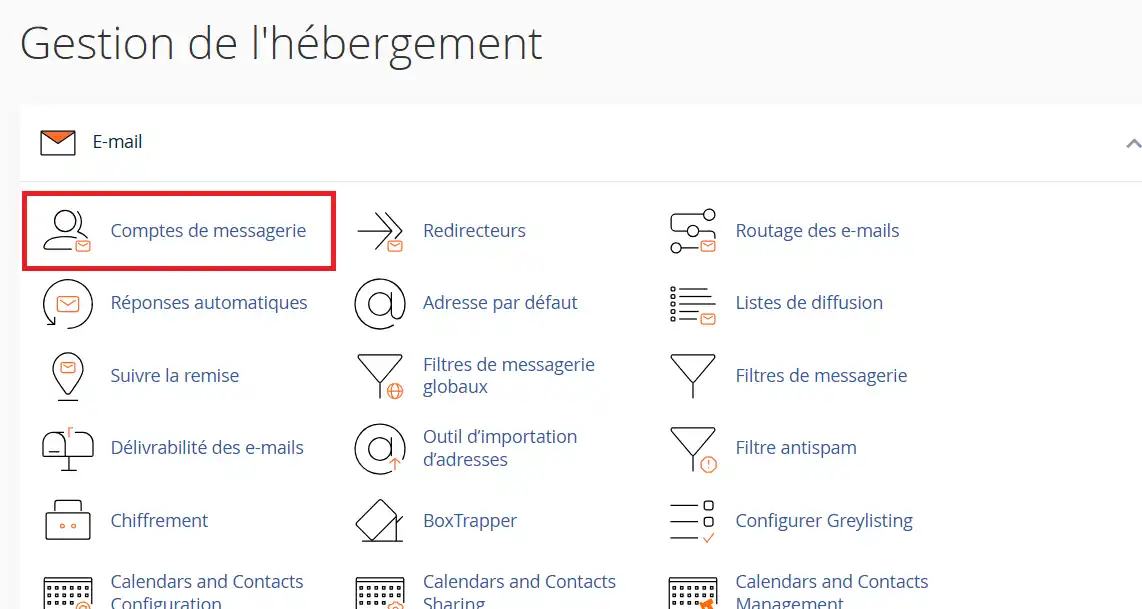
2. Click on the " Email account " button in the"Email" section.
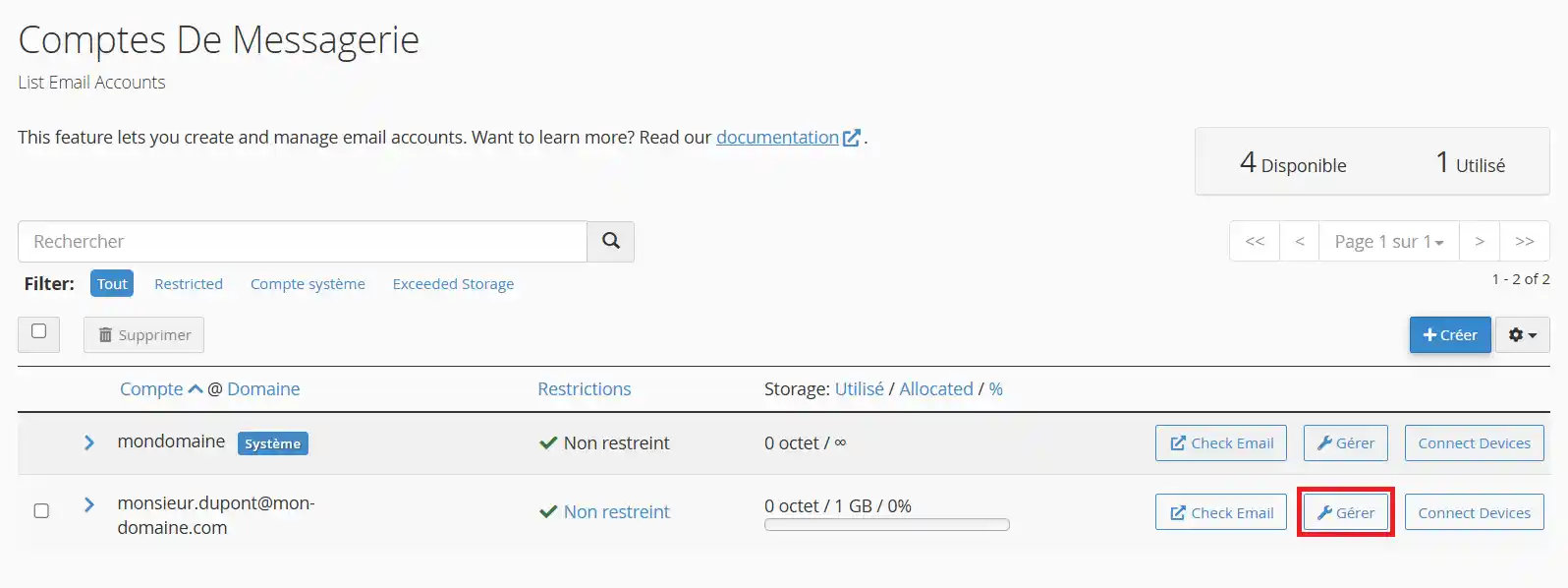
3. Click on the"Manage" button corresponding to the e-mail address concerned:
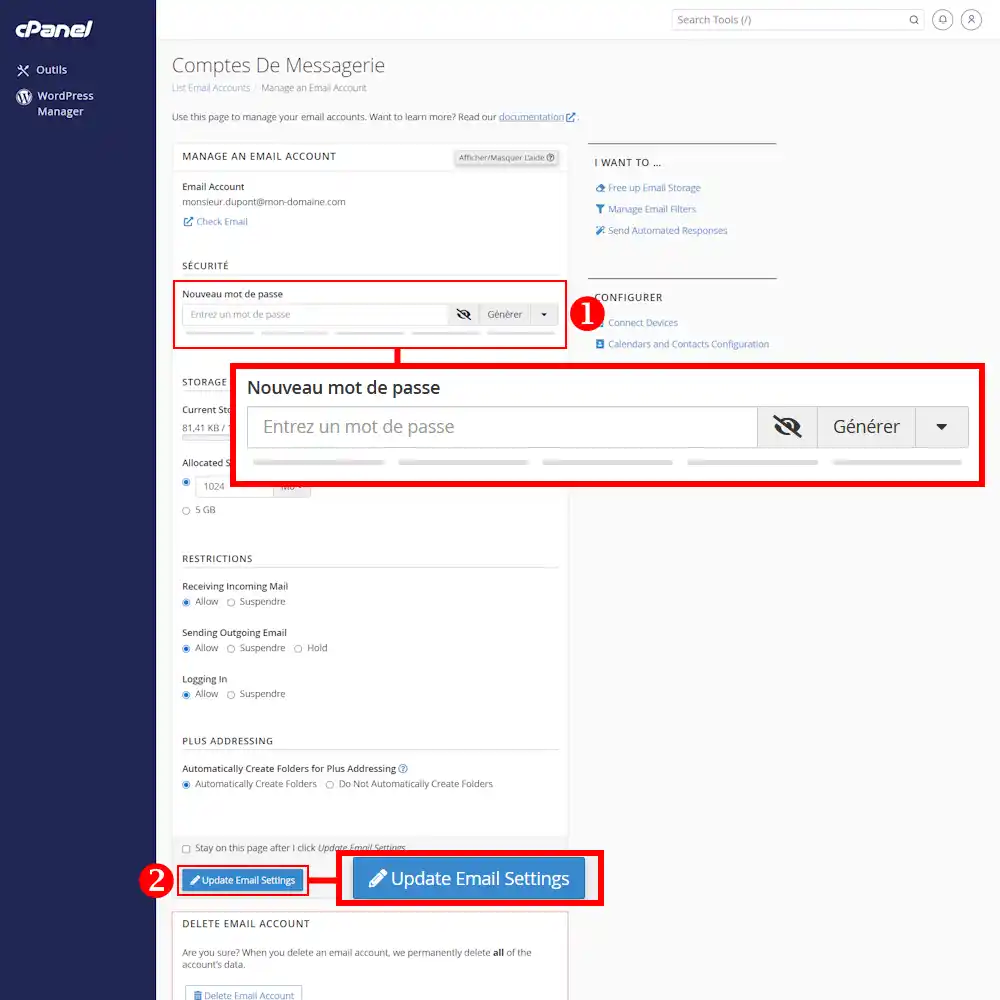
4. Fill in the " New password (1)" field with your new password and click on the " Update Email Settings (2)" button. The new password will work as soon as you change it.
You can now change the password for the email address attached to your cPanel package with LWS.
Don't hesitate to share your comments and questions!
Rate this article :
5/5 | 2 opinion
This article was useful to you ?
Yes
No
1mn reading
How do I create an autoresponder in cPanel?
0mn reading
How do I create an e-mail address in cPanel?
1mn reading
How do I create a catch-all in cPanel?
1mn reading
How do I create an email redirect in cPanel?
 About LWS :
LWS is a 100% French web hosting company that focuses on quality and innovation and offers a responsive and competent technical service at affordable prices.
About LWS :
LWS is a 100% French web hosting company that focuses on quality and innovation and offers a responsive and competent technical service at affordable prices.