Contact us
 Customer Area
 Visit LWS
Rate this article :
4.5/5 | 2 opinion
This article was useful to you ?
 Yes
Yes
 No
No
 Article read
27580 once
Article read
27580 once Merci ! N'hésitez pas à
poser des questions sur nos documentations si vous souhaitez plus d'informations et nous aider à les
améliorer.
Merci ! N'hésitez pas à
poser des questions sur nos documentations si vous souhaitez plus d'informations et nous aider à les
améliorer.Vous avez noté 0 étoile(s)



Procédure
Exporting your database allows you to back it up so that you can restore it if necessary. You can export your database in the form of a .SQL file or a .ZIP file.
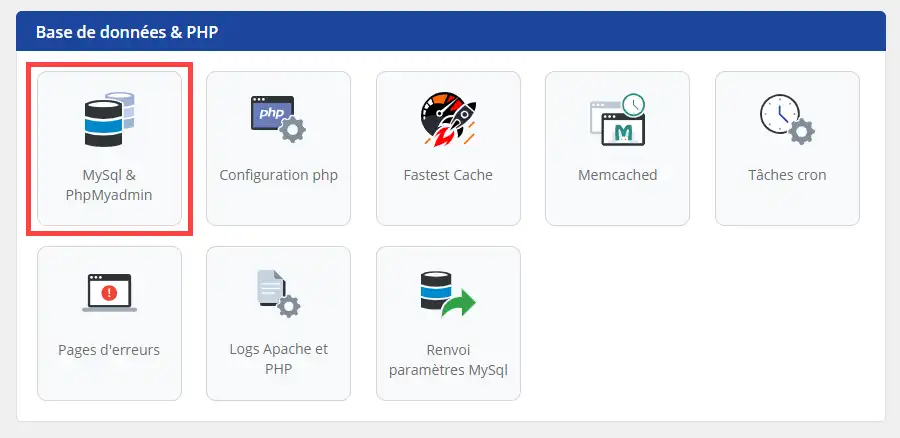
1. connect to the administration area of your web hosting, then go to database management by clicking on MySQL & PHPMyAdmin:
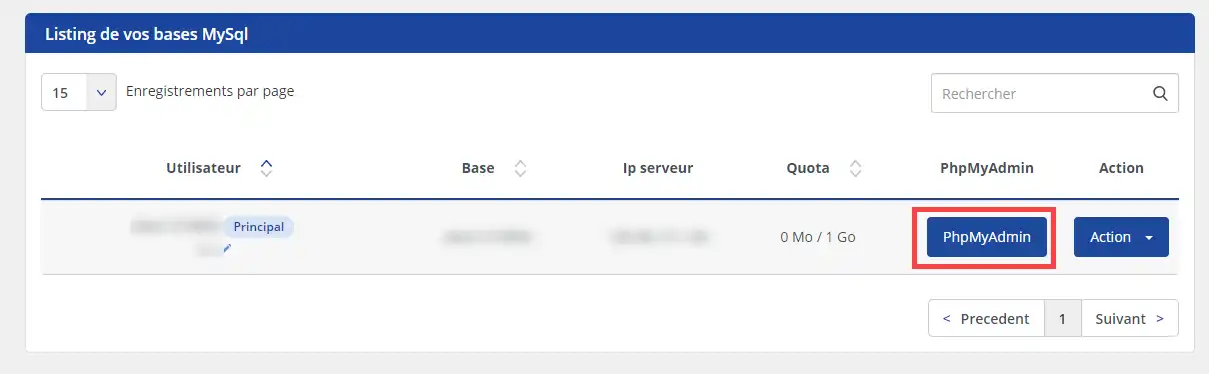
2. Click on the "PHPMyAdmin" button, which will open the PHPMyAdmin connection interface in a new tab.
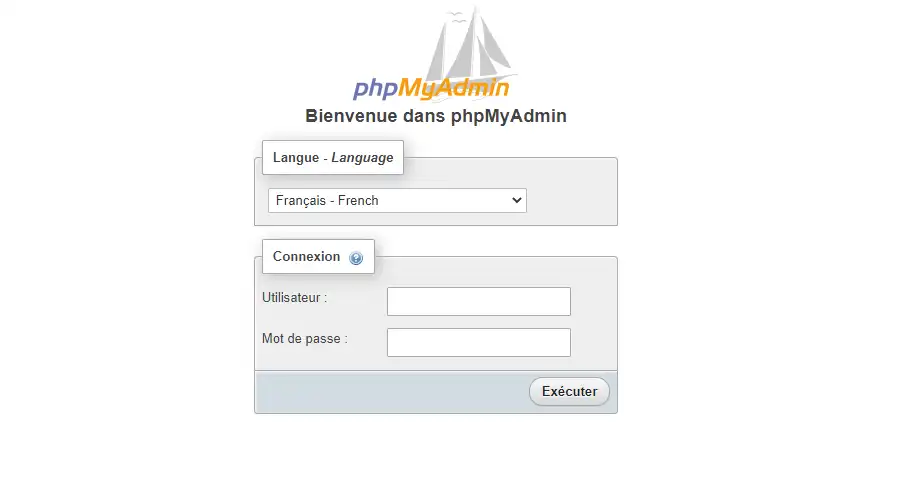
3. enter theusername and password for your MySQL database and click"Run" to access it.
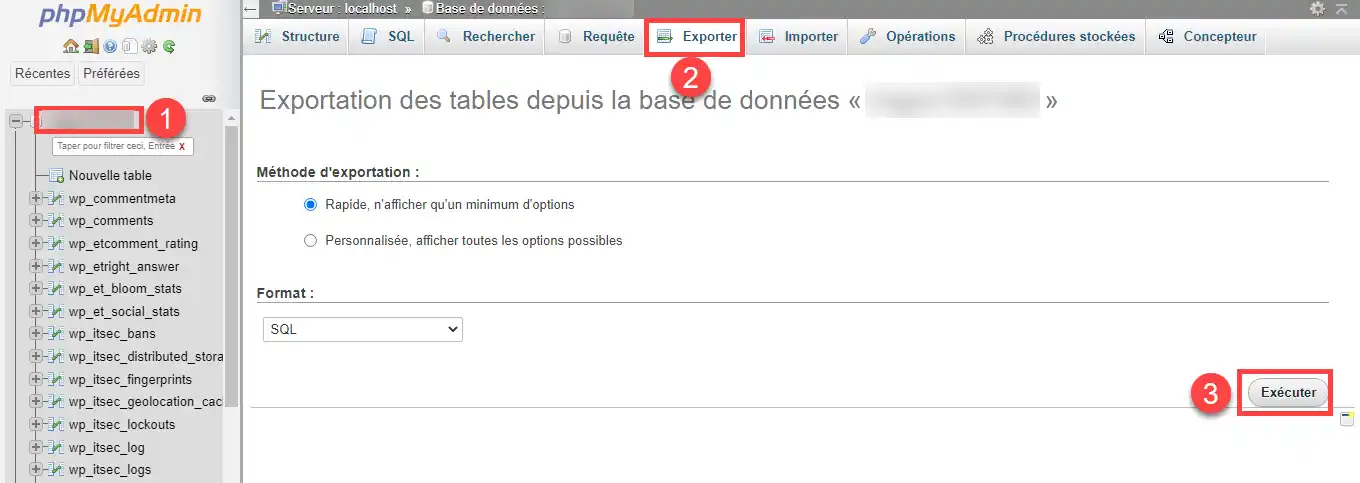
4. Click on the database concerned (1) in the left-hand column of the page, then on the "Export" tab (2) and finally on the "Run " button (3).
You can now export the database on your shared hosting with LWS. Exporting the database allows you to benefit from a database backup.
Don't hesitate to share your comments and questions!
Rate this article :
4.5/5 | 2 opinion
This article was useful to you ?
Yes
No
1mn reading
How do I create a Mysql database?
0mn reading
How do I change my Mysql password?
1mn reading
How can I access my Mysql databases (PhpMyAdmin)?
0mn reading
How do I restore my MySQL database?
 About LWS :
LWS is a 100% French web hosting company that focuses on quality and innovation and offers a responsive and competent technical service at affordable prices.
About LWS :
LWS is a 100% French web hosting company that focuses on quality and innovation and offers a responsive and competent technical service at affordable prices.