Contact us
 Customer Area
 Visit LWS
Rate this article :
3.3/5 | 8 opinion
This article was useful to you ?
 Yes
Yes
 No
No
 Article read
81664 once
Article read
81664 once Merci ! N'hésitez pas à
poser des questions sur nos documentations si vous souhaitez plus d'informations et nous aider à les
améliorer.
Merci ! N'hésitez pas à
poser des questions sur nos documentations si vous souhaitez plus d'informations et nous aider à les
améliorer.Vous avez noté 0 étoile(s)



Sommaire
Procédure
This documentation explains how to configure an LWS email address in the Mail application on macOS so that you can send and receive email from your computer.
There are two possible methods:
This documentation is aimed at users with an LWS email address associated with :
The configuration procedure on macOS remains the same regardless of the panel used.
Before configuring your email address on macOS Mail, make sure you have the following information:
In most cases at LWS, the settings are :
| Parameter | Value |
|---|---|
| Identifier | your full e-mail address |
| Password | address password |
| Incoming server (IMAP) | mail.yourdomain.ext |
| Outgoing server (SMTP) | mail.yourdomain.ext |
| IMAP port | 993 |
| POP port | 995 |
| SMTP port | 465 |
| Security | SSL/TLS |
[bcolor_orange]
Replace yourdomain.ext with your real domain name.
Example:
if your e-mail is contact@monsite.fr
The server will be mail.monsite.fr
[bcolor]
When configuring your account, macOS Mail may ask you to choose between IMAP and POP. Read our advice on how to make this choice.
This method automatically sets up your email, contacts (CardDAV) and calendar (CalDAV).
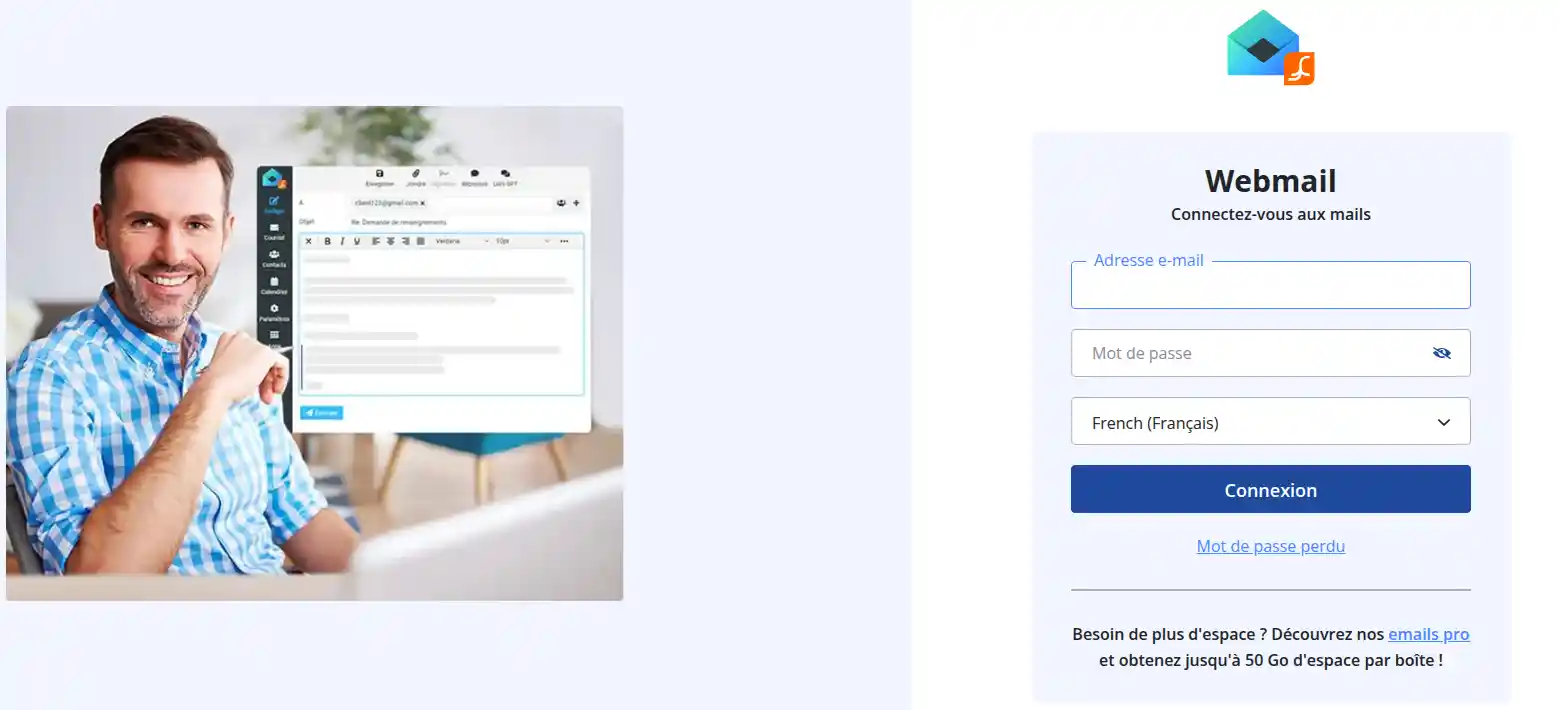
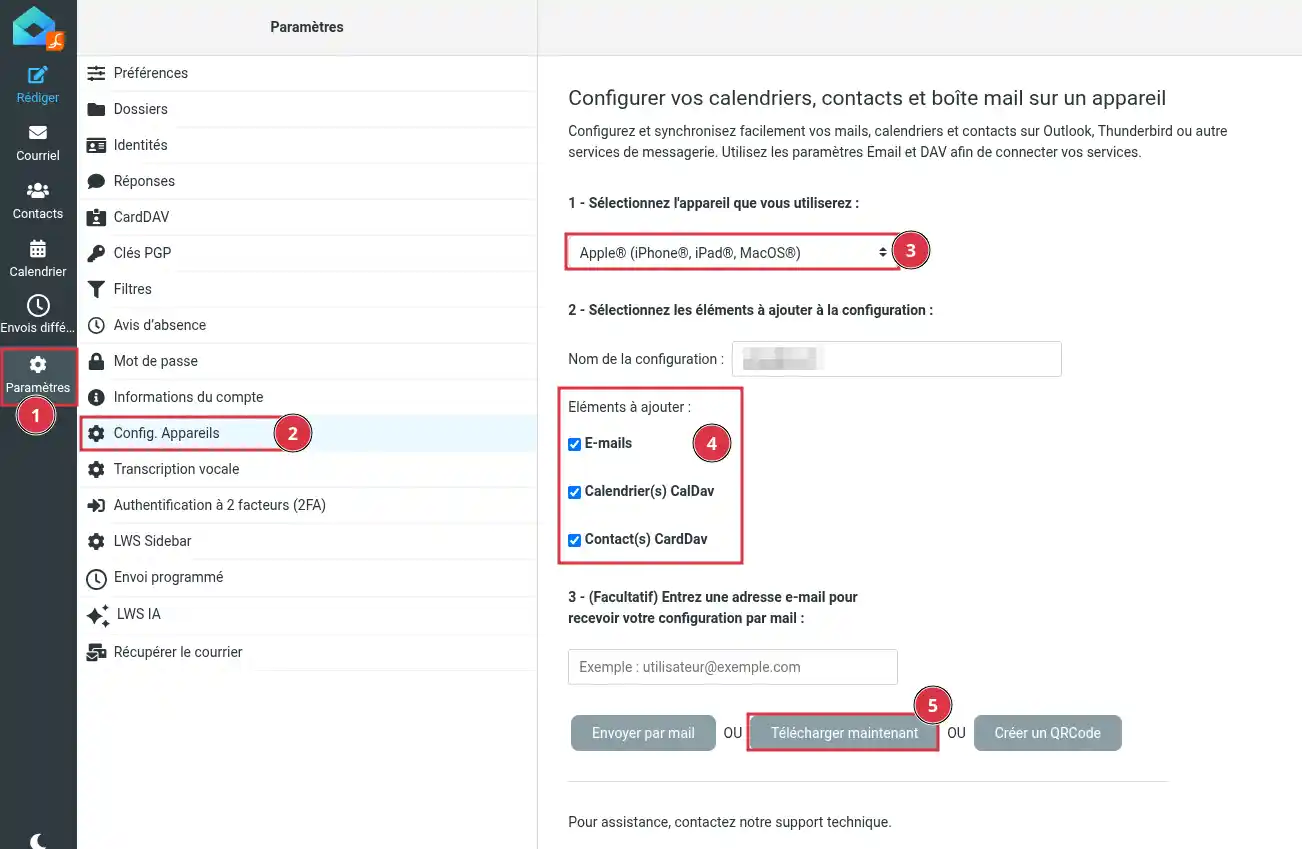
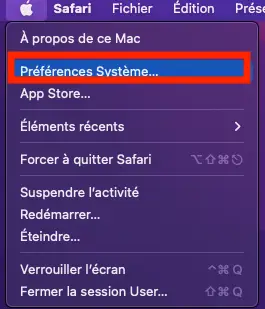
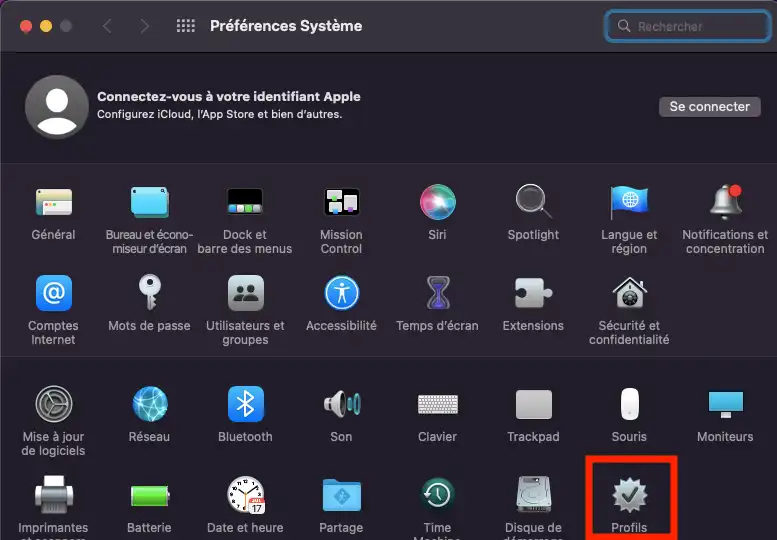
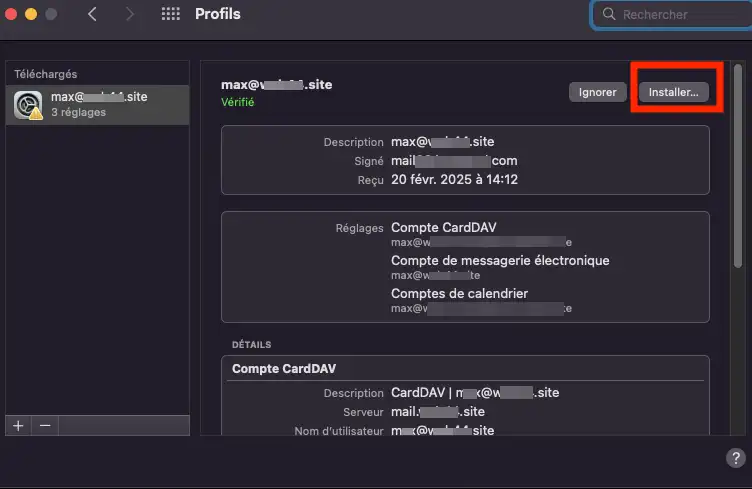
The profile automatically configures :
Open the Mail application on your computer.
Your account should automatically appear in the list of accounts.
You can now :
If the automatic configuration doesn't work, use the manual configuration explained below.
Manual configuration allows you to enter your email settings yourself.
Open the Mail application on your Apple computer.
If no account is configured, the add account wizard will appear automatically.
Otherwise :
Click Mail in the menu bar.
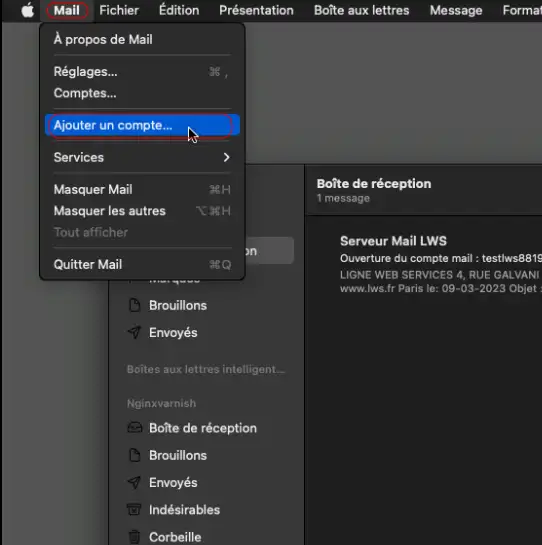
Click on Add an account.
Select Other Mail account.
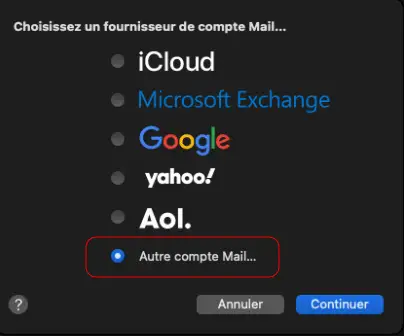
Click on Continue.
Fill in the following information:
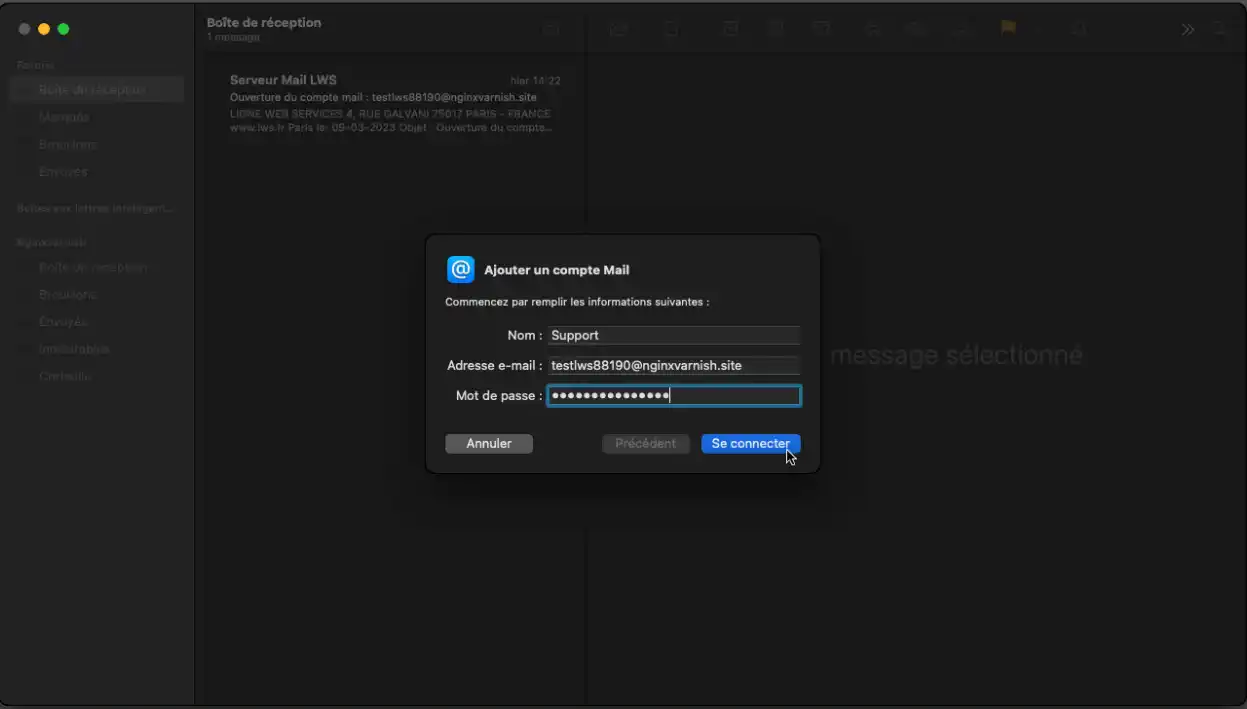
Then click on Connect.
You may receive a message saying: Unable to verify account name or password. This is normal when automatic configuration fails. You will then have to enter the parameters manually.
Select IMAP and fill in the following fields:
General information :
Receiving server:
mail.yourdomain.extFor the outgoing server :
mail.yourdomain.ext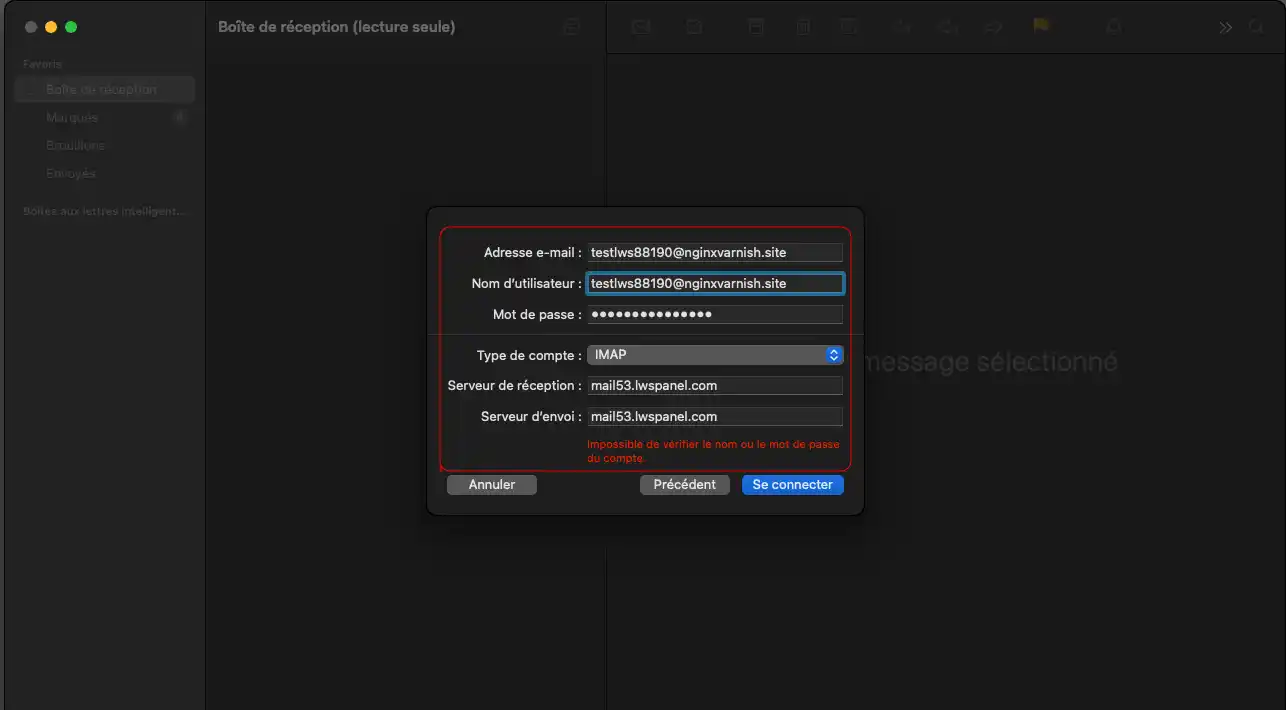
Then click on Connect.
Mail then checks the settings.
If everything is correct, your account is added.
You can choose which services to synchronise:
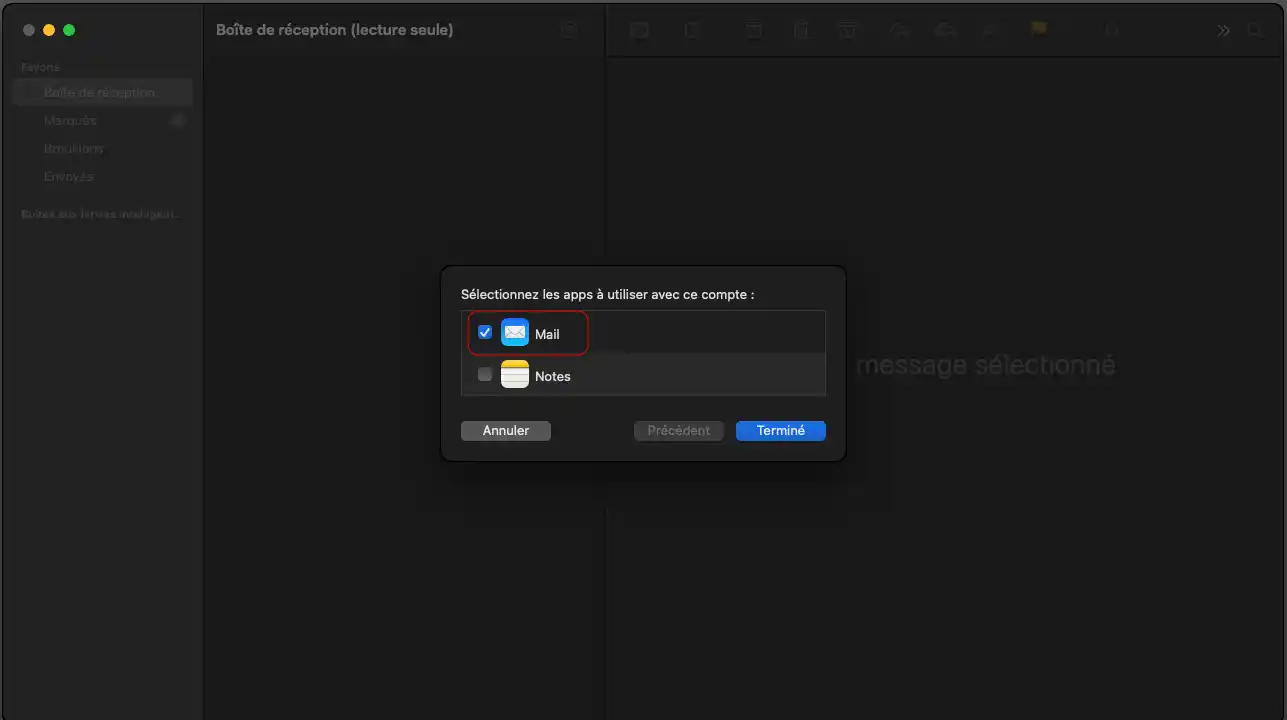
Click on Finish.
Once your account has been set up, we recommend that you carry out a test.
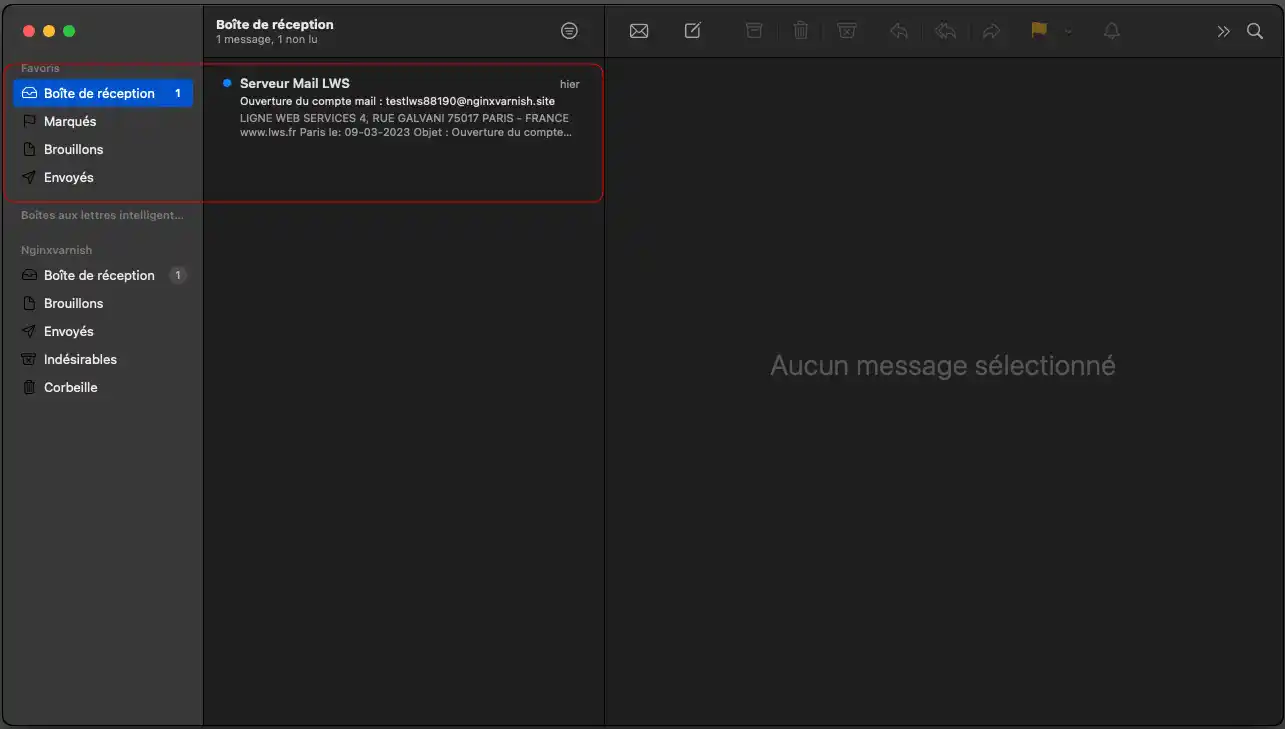
1. Send an email from your address to itself.
2. Check that :
3. Check that you can open your mail folders without error.
If these three points work, your configuration is correct.
Check that :
If necessary, change the password from your panel and then repeat the configuration.
The problem is usually with the SMTP server.
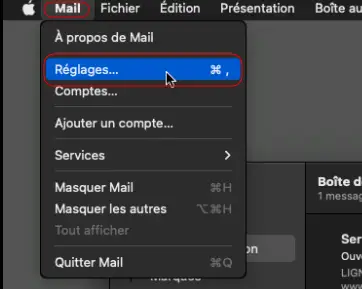
1. Click on the"Mail" menu, then on"Settings".
2. Click on the"Accounts" icon, then select the account you want to change.
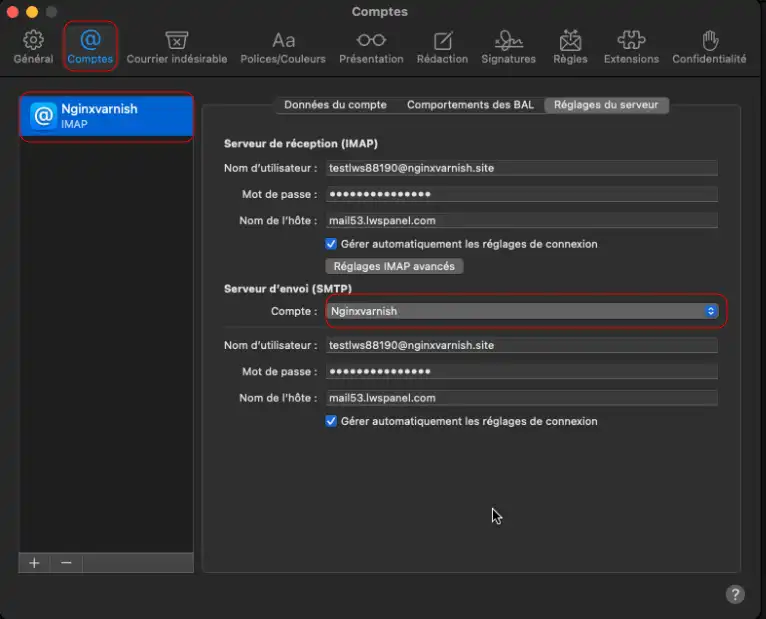
3. In the"Server settings" tab, under"Sending server (SMTP)", uncheck the"manage automatically" box and check the following settings:
mail.yourdomain.extAfter making the changes, try sending an email again.
The problem is usually with the IMAP server.
1. Click on the"Mail" menu, then on"Settings".
2. Click on the"Accounts" icon, then select the account you want to change.
3. In the"Server settings" tab, under"Inbox server (IMAP)", uncheck the"manage automatically" box and check the following settings:
Check the incoming server settings:
mail.yourdomain.extIn this case :
If an account was previously configured with the wrong settings :
You now know how to configure an LWS email address in the Mail application on macOS, either using automatic configuration or manual configuration.
Once the configuration is complete, you can send and receive emails directly from your computer.
If your email address is still not working, please contact LWS technical support from your customer area so that a technician can analyse your configuration.
Rate this article :
3.3/5 | 8 opinion
This article was useful to you ?
Yes
No
0mn reading
0mn reading
How do I configure an LWS email address on an iPhone or iPad?
0mn reading
Setting up an LWS e-mail address on an Android tablet or phone
0mn reading
How do I add my email address to Gmail online webmail?
 About LWS :
LWS is a 100% French web hosting company that focuses on quality and innovation and offers a responsive and competent technical service at affordable prices.
About LWS :
LWS is a 100% French web hosting company that focuses on quality and innovation and offers a responsive and competent technical service at affordable prices.